When your app sends too many requests to an API in a short time, the server may respond with an HTTP 429 error: "Too Many Requests." This error, often accompanied by a Retry-After header, tells you how long to wait before retrying. APIs enforce these limits to protect their systems from overload and ensure fair usage.
Key Takeaways:
- Why it happens: Exceeding request limits due to high traffic, inefficient usage, or subscription plan restrictions.
-
Common causes:
- Sending too many requests at once (e.g., batch processing).
- Poor coding practices, like unnecessary loops or lack of caching.
- Subscription tiers with strict quotas.
-
How to handle it:
- Use exponential backoff for retries.
- Follow the
Retry-Afterheader for cooldown periods. - Group requests into batches to reduce traffic spikes.
-
Prevention tips:
- Implement caching to avoid redundant requests.
- Monitor API usage with headers like
X-Ratelimit-Remaining. - Upgrade your API plan if needed.
For example, Zip2Geo offers plans ranging from 200 monthly requests (Free) to 100,000 (Scale). Batch processing and caching can also help you stay within limits while optimizing performance.
HTTP 429 errors aren't just roadblocks - they're reminders to fine-tune your app's API usage for better efficiency.
Common Causes of HTTP 429 Errors
High Request Volumes
HTTP 429 errors often occur when a system sends an overwhelming number of requests in a short period. For instance, batch geocoding tasks - where thousands of addresses are processed simultaneously - can easily trigger this error. Another typical scenario involves developers scheduling API calls at fixed intervals. If these calls are synchronized, such as firing off requests at the start of every minute, they can create significant traffic spikes - up to 60 times the normal load. From the server's perspective, this behavior can resemble a Distributed Denial of Service (DDoS) attack, prompting the system to enforce rate limits immediately.
It's not just the sheer number of requests but also inefficient patterns that contribute to exceeding rate limits.
Inefficient API Usage
Programming errors can unintentionally overload APIs. For example, a poorly implemented React useEffect hook or a logical mistake might create loops that send hundreds of unnecessary requests in seconds. Another common issue is failing to use batch endpoints - when multiple individual calls are made for related data instead of consolidating them into a single request, the total number of calls skyrockets needlessly.
Additionally, failing to cache results can lead to repeated queries for the same data. This redundancy wastes requests and quickly pushes applications closer to their rate limits.
Subscription Plan Limitations
The limits set by your API subscription plan play a significant role in how much traffic you can handle before hitting 429 errors. Free or basic-tier plans often have much stricter limits compared to premium tiers, with allowable request rates varying from just a few per second on entry-level plans to dozens per second on advanced ones. The situation becomes even more restrictive if no billing account is linked, potentially capping usage to minimal daily quotas. Ensuring your account is properly set up and aligned with your application's needs is essential before deployment.
Understanding these common triggers is the first step toward implementing effective solutions, which we'll explore in the next section.
HTTP Status Code 429: What Is a 429 Error "Too Many Requests" Response Code?
How to Handle HTTP 429 Errors
Encountering an HTTP 429 error? It means you're sending too many requests in a short period, and the server is asking you to slow down. To tackle this, you need strategies that balance server limitations with a smooth user experience.
Use Exponential Backoff
Exponential backoff is a smart way to manage retries. It spaces out retry attempts by increasing the wait time after each failed request. For instance, the delay might grow progressively - 100 ms, 200 ms, 400 ms, and so on. This method reduces the risk of overwhelming the server with rapid-fire requests, which could otherwise resemble a DDoS attack.
To keep things under control, limit retries to 3–5 attempts and cap delays at around five seconds. Adding a touch of randomness, or "jitter", to these delays can help avoid synchronized retries from multiple clients. Before retrying, always check the Retry-After header for specific guidance on when to try again.
Check Retry-After Headers
The Retry-After header is your roadmap for knowing when it's safe to send another request. When you receive a 429 response, this header often specifies a cooldown period. It might show up as a number (seconds to wait, like "3600") or as a date and time (e.g., "Mon, 29 Mar 2021 04:58:00 GMT").
Follow the Retry-After value closely to avoid further rate limit errors. If the header provides a number, wait that many seconds before retrying. If it’s a timestamp, calculate the time difference between that and your system clock. In cases where the header is missing, default to a wait of at least 60 seconds or fall back to exponential backoff. Ignoring this header isn’t just risky - it could lead to temporary or permanent bans for your app or IP address.
Process Requests in Batches
Another way to manage rate limits is by grouping requests into batches. Instead of sending requests individually, align them with the server's limits. For example, if the limit is five requests per second, throttle your requests to stay within that boundary. Algorithms like the token bucket can help you handle short bursts without exceeding limits.
When working with large datasets, process them either sequentially or with controlled parallelism. Save intermediate results to avoid data loss if a batch fails. Be mindful not to schedule batches at fixed intervals, as this could unintentionally create traffic spikes that resemble sudden surges in activity.
sbb-itb-823d7e3
How to Prevent HTTP 429 Errors
Avoiding rate limit errors before they happen is always a smarter approach than scrambling to fix them afterward. By taking proactive steps, you can ensure your application runs smoothly without running into server restrictions. These strategies work hand-in-hand with handling techniques by reducing unnecessary demand on the server.
Cache API Responses
Caching is a simple yet powerful way to cut down on duplicate requests. By storing frequently accessed data locally, you can significantly reduce the number of API calls, especially during times of heavy usage. This is particularly effective for static data, like geocoding results for a fixed set of addresses. Make sure to respect caching headers like Cache-Control or Expires to ensure the data stays fresh.
For client-side applications, tools like Tanstack Query can handle caching automatically and keep the data up-to-date. Instead of making real-time calls, consider scheduling background tasks to refresh cached data at random intervals. This avoids sudden traffic spikes that could be misinterpreted as an attack.
By cutting down on redundant API calls, caching not only keeps your application within limits but also delays the need for plan upgrades.
Upgrade Your API Plan
If rate limit errors persist, increasing your API capacity might be the solution. Before upgrading, check if the issue stems from actual traffic growth or programming errors, like loops causing repeated API calls. If your app frequently exceeds its allocated quota, an upgrade could be necessary.
Review the rate limits in your Zip2Geo account to ensure your plan matches your application's requirements. Higher-tier plans often include batch endpoints, allowing you to combine multiple requests into a single call, which is far more efficient. Zip2Geo’s tiered plans are designed to support applications of all sizes, from development to large-scale production.
Once you've upgraded, keep an eye on your usage to stay within your new limits.
Monitor and Optimise API Usage
Keeping track of your API usage is key to identifying and resolving potential issues before they lead to errors. Use response headers like X-Ratelimit-Remaining and X-Ratelimit-Reset to adjust your request rates based on real-time feedback.
There are also libraries that can help you manage request flow programmatically. For JavaScript, tools like bottleneck and p-limit are great options, while Python developers might turn to ratelimiter or tenacity for similar functionality.
Another effective method is implementing a token bucket algorithm, which allows short bursts of traffic while maintaining a steady average request rate. Wherever possible, consolidate requests using batch endpoints instead of making individual calls. Adding random intervals (jitter) to your request timing can also prevent synchronized traffic spikes that might trigger rate limits.
Managing Rate Limits with Zip2Geo
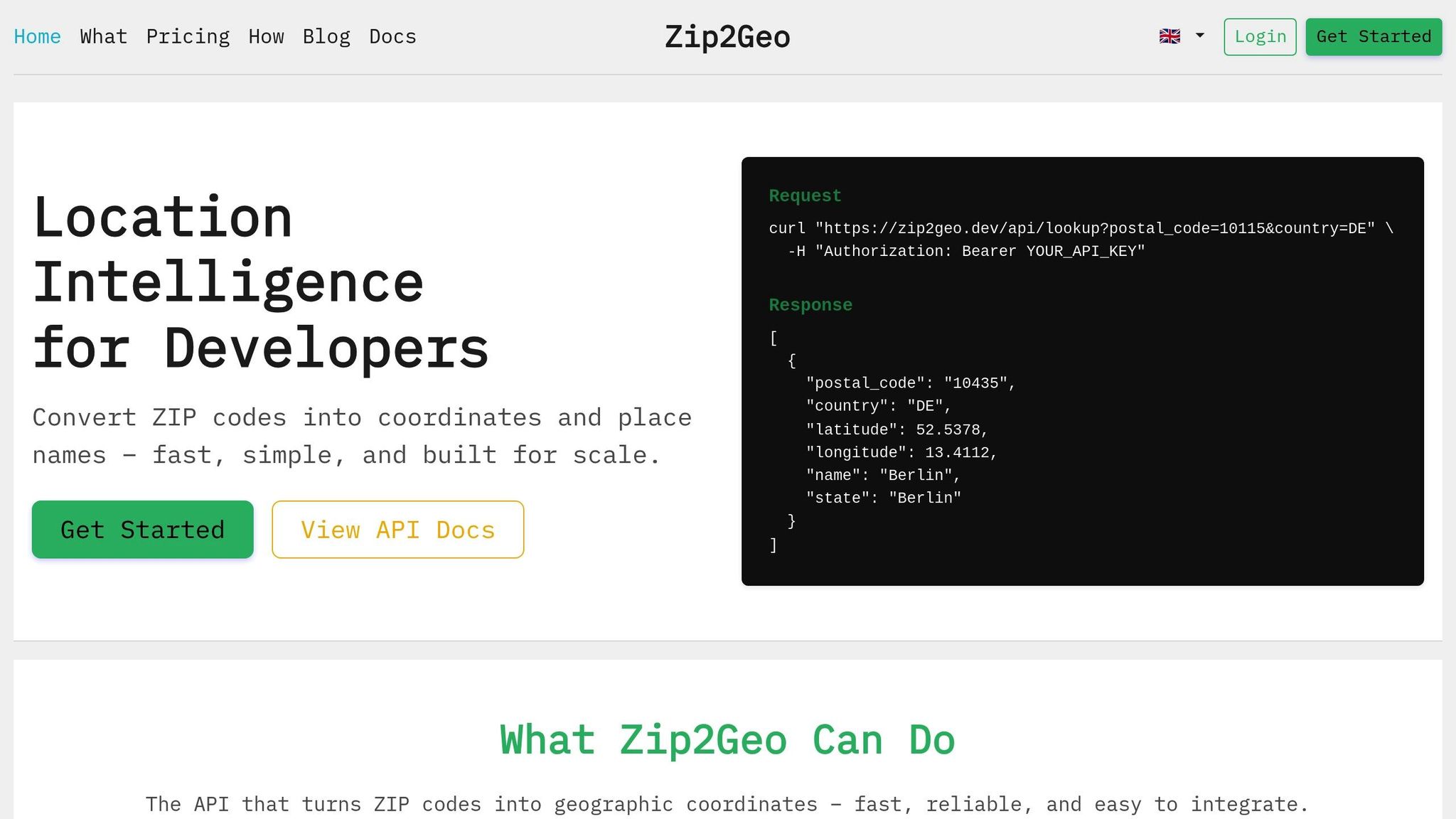
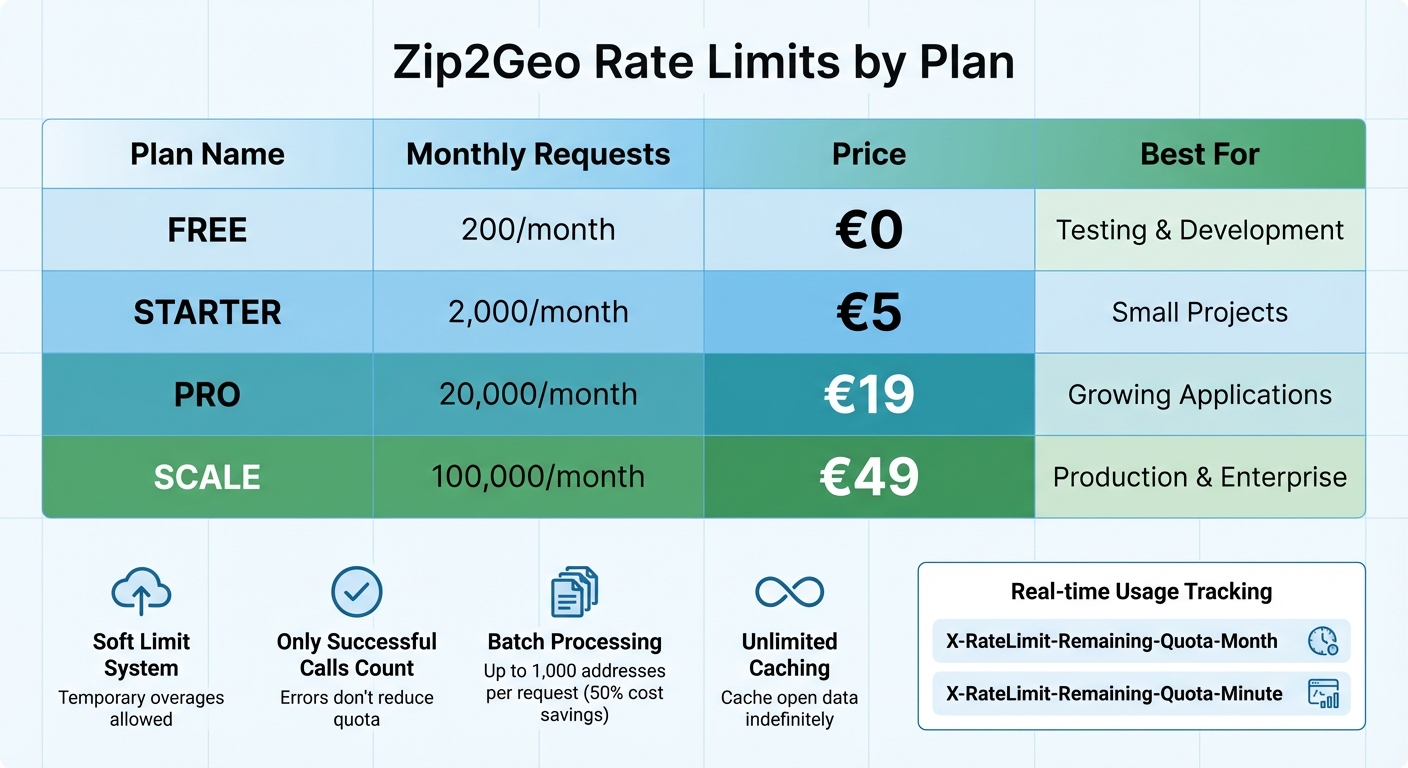
Zip2Geo API Rate Limits and Pricing Plans Comparison
When working with Zip2Geo, making the most of your plan's features can help you avoid rate limit issues and optimize your API usage.
Zip2Geo Rate Limits by Plan
Zip2Geo applies both monthly and per-minute limits to API requests. Here's a quick breakdown of the plans:
- Free Plan: 200 requests per month
- Starter Plan: 2,000 requests for 5 €
- Pro Plan: 20,000 requests for 19 €
- Scale Plan: 100,000 requests for 49 €
Zip2Geo uses a soft limit system, meaning temporary overages won’t block your access immediately. However, if overuse becomes frequent, you’ll need to upgrade your plan. Importantly, only successful API calls count against your quota - errors like validation issues or server-side problems won’t reduce your balance.
To stay on top of your usage, you can monitor it in real time through the X-RateLimit-Remaining-Quota-Month and X-RateLimit-Remaining-Quota-Minute headers. Combining this monitoring with strategies like batching and caching can help you maintain a smooth application experience.
Batch Geocoding with Zip2Geo
Zip2Geo supports batch processing for up to 1,000 addresses in a single HTTP POST request. This approach can cut individual call costs by as much as 50%. After submitting a batch, the API provides a Job ID for tracking. You’ll need to poll the API until the status changes from "pending" to "completed." Alternatively, you can use an onBatchComplete callback to capture results in case processing stops.
Caching Zip2Geo Responses
Zip2Geo allows unlimited caching of its open data. Before making an API call, check your local database for existing data. If you’re nearing your quota, use the rate limit headers to trigger more aggressive caching. Building a permanent local reference for frequently queried areas can significantly reduce your long-term API costs.
Conclusion
Summary of Solutions
HTTP 429 errors occur when API rate limits are exceeded, acting as a safeguard against server overload. To handle these errors effectively, you can implement exponential backoff or adhere to the Retry-After header before attempting another request. For a more proactive approach, consider caching responses to cut down on redundant requests, batching requests to process large datasets more efficiently, and upgrading your subscription plan if your legitimate traffic consistently surpasses the current limits.
The best results often come from combining several strategies. For example, using token bucket algorithms can help regulate request flow locally while staying within the API's limitations. Together, these methods not only reduce errors but also ensure smoother, more reliable API performance.
Final Thoughts
These solutions work together to create a solid foundation for managing API rate limits. Mastering rate limits goes beyond simply avoiding errors - it's about designing applications that are both reliable and efficient. For developers working with Zip2Geo, combining these strategies ensures seamless geocoding operations. Features like flexible rate limits, batch processing, and effective caching empower developers to scale their applications with confidence.
To stay ahead, make it a habit to monitor your usage, cache frequently accessed data, and choose the right subscription plan for your needs. By doing so, you’ll keep your application running smoothly while maintaining control over costs and performance.
FAQs
What is exponential backoff, and how can I use it to handle HTTP 429 errors?
Exponential backoff is a retry method designed to help applications manage HTTP 429 (Too Many Requests) errors by gradually increasing the delay between retries. This technique respects API rate limits while reducing the risk of overwhelming the server with repeated requests.
Here’s how it works: Start with a base delay (e.g., 1.0 Sekunde) and double the wait time after each retry until reaching a maximum limit (e.g., 30.0 Sekunden). To avoid multiple clients retrying simultaneously, add a small random variation (±10 %) to the delay. For instance, after the third retry, the delay might be 4.0 Sekunden before applying this random adjustment. Also, cap the total retries (e.g., 5 attempts) to prevent endless loops.
Make sure to log each retry attempt with a German-style timestamp (dd.MM.yyyy HH:mm:ss, such as 16.01.2026 19:05:30) for easier debugging. Incorporating this logic into your API request handling will ensure smoother error recovery for your Zip2Geo integrations.
How can I avoid hitting API rate limits in my application?
To avoid hitting API rate limits, you can adopt a few smart strategies:
- Use rate limiting: Implement a client-side rate limiter or throttling system to manage how often requests are sent.
- Combine and cache requests: Group multiple requests when possible, and store results temporarily to cut down on repetitive calls.
- Spread out requests: Evenly distribute API calls over time to prevent sudden surges.
- Apply exponential backoff: If you receive an HTTP 429 error, retry the request after gradually increasing the wait time between attempts.
These approaches ensure your application runs smoothly while staying within the boundaries of API usage rules.
How does caching help prevent API rate limit errors like HTTP 429?
Caching is a smart way to store recent API responses locally, helping to cut down on outgoing requests and avoid hitting rate limits. For example, if your application repeatedly looks up ZIP codes, using cached responses means fewer API calls, which can prevent HTTP 429 errors. This not only speeds up response times but also saves bandwidth and reduces costs - especially if you're dealing with APIs that charge based on usage (e.g., €1.234,56 per quota).
A good caching system can be set to update periodically, like every 24 hours, to align with the API's data refresh schedule. By reusing cached results, your application can significantly reduce repetitive requests, staying well within the limits of services like Zip2Geo. This ensures smoother performance and reduces the risk of disruptions during busy periods.
Caching also works well alongside other methods like retry logic and exponential backoff. Together, these strategies create a strong safeguard against exhausting rate limits. The result? A more reliable application that keeps users happy, even during peak traffic, while staying compliant with API usage rules.