Managing API quotas is critical for keeping your applications running smoothly, avoiding unexpected costs, and ensuring fair resource distribution. Here's what you need to know:
- What are API quotas? Limits on the number of requests you can send to an API within a set timeframe. Exceeding them results in errors like HTTP 429.
- Why are they important? They prevent server overload, control costs, and protect against misuse.
-
How to monitor usage? Use dashboards, response headers (e.g.,
X-RateLimit-Remaining), and alerts at key thresholds (50%, 80%, 90%). - Optimizing API calls: Caching results, batching requests, and applying rate limits can reduce unnecessary usage.
- Advanced strategies: Sub-quotas for teams, predictive monitoring, and prioritizing critical tasks help manage resources effectively.
For example, Zip2Geo offers pricing plans with quotas ranging from 200 to 100,000 requests per month. By caching data, triggering calls only when needed, and monitoring usage closely, you can maximize efficiency and stay within limits.
Start by setting up monitoring tools and employing strategies like exponential backoff to handle quota errors. These practices ensure better control over your API usage while minimizing disruptions.
Quota Management Flow - Tutorial
sbb-itb-823d7e3
How to Monitor API Quota Usage
API Response Headers for Quota Monitoring Guide
Keeping track of your API usage is essential to avoid unexpected downtime. Most modern APIs offer tools to monitor your consumption in real time, ranging from built-in dashboards to response headers that provide live updates on your quota status.
Setting Up Real-Time Monitoring
Many API platforms include dashboards that display key metrics like current usage, remaining quota, and traffic trends. For example, tools like AWS API Gateway, Google Cloud API Dashboard, and Tyk provide detailed insights into traffic volume, error rates, and latency. Google Cloud even updates its API metrics every 60 seconds - though it might take up to 30 minutes for this data to appear on your dashboard.
For more granular control, OpenTelemetry (OTel) lets you create custom metrics. With OTel, you can:
- Use counters to track allowed versus rejected requests.
- Build histograms to measure how much of your quota you've consumed.
- Set up gauges to monitor active requests within a specific time frame.
"Monitoring rate limiting with OpenTelemetry custom metrics gives you answers that HTTP status codes alone never will." - Nawaz Dhandala, OneUptime
To avoid surprises, configure alerts for when you reach thresholds like 50%, 80%, or 90% of your quota. These alerts can notify you via email, Slack, or SMS, allowing you to adjust your request rates before hitting your limit. Platforms like Tyk and Apigee even support event-driven webhooks that trigger immediately when a QuotaExceeded event occurs.
For added resilience, consider implementing a "fail open" strategy. This ensures your system continues to process requests even if your monitoring backend (e.g., Redis) becomes temporarily unavailable, preventing a monitoring failure from blocking all traffic.
Beyond dashboards, API responses themselves can provide real-time usage data.
Using Response Headers for Usage Insights
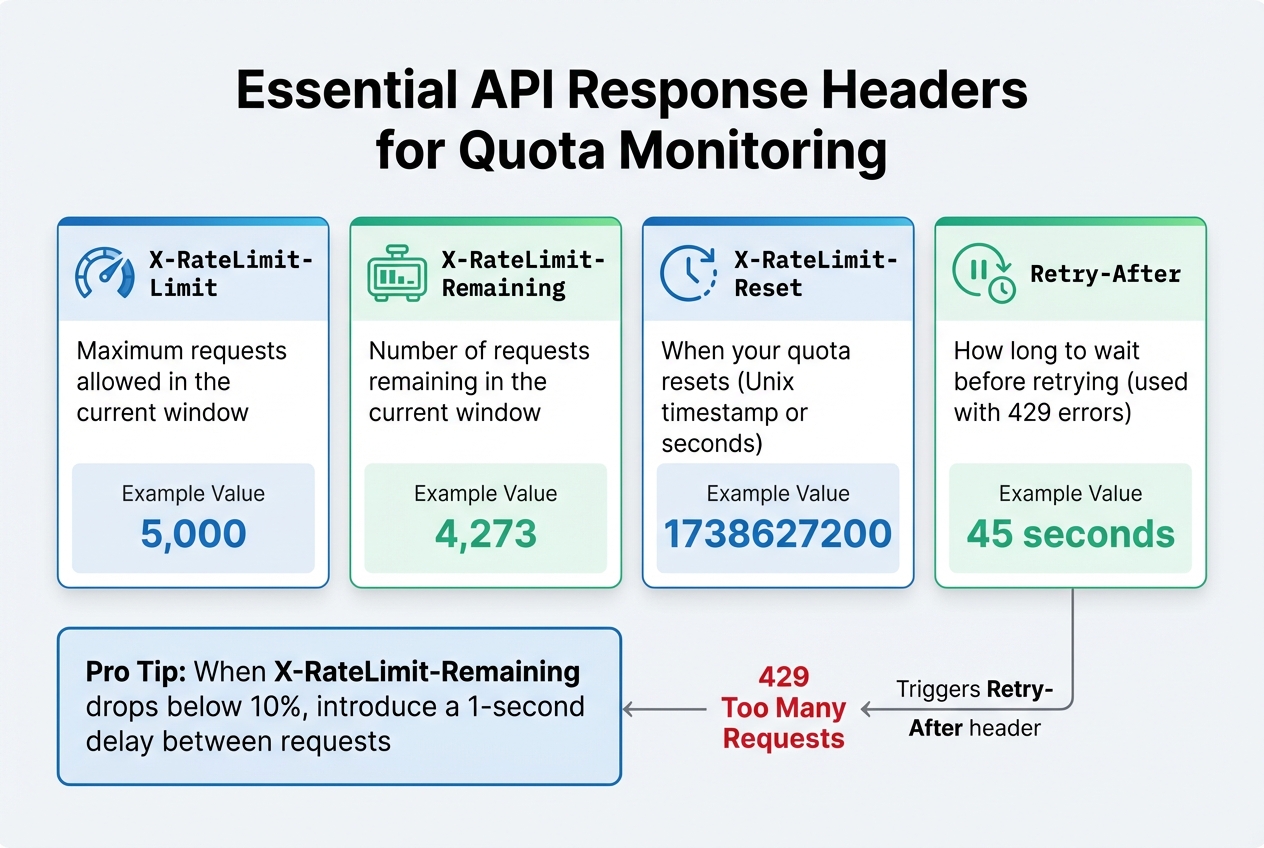
API response headers are a great way to complement your dashboard monitoring. Each API call includes metadata that reveals your current quota status, offering a quick way to check usage without additional status requests. Common headers include:
| Header Name | Description | Example Value |
|---|---|---|
X-RateLimit-Limit |
Maximum requests allowed in the current window | 5.000 |
X-RateLimit-Remaining |
Number of requests remaining in the current window | 4.273 |
X-RateLimit-Reset |
When your quota resets (Unix timestamp or seconds) | 1738627200 |
Retry-After |
How long to wait before retrying (used with 429 errors) | 45 |
By aggregating these headers, you can analyze historical trends and predict when you might need to upgrade your quota. For example, if X-RateLimit-Remaining drops below 10%, you could introduce a small delay (e.g., one second) between requests to proactively throttle traffic. If you encounter a 429 error, use the Retry-After header to pause for the specified duration. Adding a bit of random "jitter" to this wait time helps prevent all your clients from retrying simultaneously.
This combination of tools and strategies ensures you stay ahead of quota limits while maintaining smooth API operations.
How to Optimize API Usage
Once you've set up real-time monitoring, the next step is fine-tuning your request strategy. The goal? Reduce unnecessary API calls while ensuring your application runs smoothly.
Caching and Eliminating Redundant Calls
Caching is a simple yet powerful way to avoid duplicate requests. Use tools like Redis or Memcached for in-memory storage, or rely on CDNs to serve cached data closer to users. For instance, caching can slash server load and bandwidth use by as much as 99.9% when handling high-traffic resources, such as those accessed by 1,000 simultaneous users.
HTTP caching headers make this process even more efficient. With Cache-Control, you can specify how long data should be stored (e.g., max-age=3600 for one hour). Pair this with ETag headers, which create a unique fingerprint for each resource version. When a client includes an If-None-Match header with the stored ETag, the server can respond with a 304 Not Modified status, confirming no changes without sending the full payload. A great example is GitHub's API, which allows 5,000 authenticated requests per hour, but conditional requests with a 304 status don’t count against this limit.
"API caching can save servers some serious work, cut down on costs, and even help reduce the carbon impact of an API." - Speakeasy
Another pro tip: separate stable data from volatile data. For example, instead of invalidating an entire invoice cache when a payment is added, store payments in a sub-resource like /invoices/{id}/payments. This keeps the main resource cacheable while only updating the dynamic parts. When combined with batching and rate limiting, caching becomes a cornerstone of efficient API usage.
Batching Multiple Requests
Batching is a smart way to reduce connection overhead and tackle the N+1 problem. Instead of making 101 separate API calls, you can send a single batch request with all the operations bundled together.
Most APIs process batch requests item by item. For example, Google Cloud's Compute Engine API supports up to 1,000 calls in a single batch, though each call still counts toward your quota. The real benefit here is cutting down on round-trip latency and connection costs.
"Batching is a performance optimization, not a replacement for singular or collection endpoints." - Geostandaarden
To make the most of batching, always use POST methods, as GET requests often have character limits. Structure your payload with a requests array, and you’ll receive a results array in return, preserving the order of your input. Before sending, validate requests on the client side to avoid wasting quota on errors you could have caught earlier. Once you've minimized redundant calls with batching, focus on prioritizing tasks to ensure critical operations aren’t delayed.
Rate Limiting and Request Prioritization
Client-side rate limiting is essential for staying within your API quota. Implement a request queue to manage retries and avoid overwhelming the server.
When faced with a 429 Too Many Requests error, use exponential backoff with jitter. This means waiting longer between retries while adding a random delay to prevent multiple clients from retrying simultaneously. Pay attention to the Retry-After header, which tells you how long to wait before trying again.
Prioritize important requests over less urgent ones. For example, if you're nearing your quota, hold off on non-essential tasks like analytics updates or cache warming. Dynamic rate limiting can adjust thresholds in real time, reducing server load by up to 40% during traffic spikes. Circuit breakers are another useful tool - they stop calls to services that are consistently failing or rate-limiting, saving your quota for requests that are more likely to succeed.
Advanced Quota Management Methods
As your application grows, managing resource allocation effectively becomes more complex. Advanced quota management strategies help ensure resources are distributed efficiently while anticipating potential spikes in demand. These methods are vital for scaling your application while maintaining control over costs.
Setting Up Sub-Quotas for Teams or Applications
Sub-quotas allow you to divide your overall API usage limits into smaller, targeted allocations for specific teams, applications, or customer tiers. Instead of sharing a single pool of resources, you can assign dedicated quotas to each group, ensuring fair usage and better control.
To implement this, start by assigning unique identifiers - such as tenantId, user_id, or API keys - to track usage for each entity. For example, Free-tier users might be limited to 1,000 calls per month, while Enterprise customers could receive 1,000,000 calls.
In distributed systems, a centralised data store like Redis is essential for tracking usage across multiple servers. Redis operations like INCRBY help maintain accuracy by avoiding race conditions when handling simultaneous requests. To ensure resilience, include "fail open" logic in case your Redis cluster becomes unavailable. This approach prevents a complete service shutdown and allows traffic to continue flowing.
"Quotas are not designed to prevent a spike from overwhelming your API. Rather, quotas regulate your API's resources by ensuring a customer stays within their agreed contract terms." - Moesif
For more advanced control, consider dynamic weighting. This method assigns varying costs to different types of requests, based on factors like tokens or bandwidth usage. Communicate usage details through response headers such as X-Quota-Limit and X-Quota-Remaining, enabling real-time tracking for teams. To enforce limits, apply progressive penalties: start with a warning, then throttle requests, impose temporary lockouts, and finally escalate to manual review if necessary.
Predicting Future API Usage
Allocating quotas is only part of the challenge - predicting future demand is equally important. By analysing historical data, you can anticipate usage patterns and prepare for spikes before they occur.
Predictive monitoring leverages machine learning to study metrics like request volumes, response times, and error rates. These systems can identify seasonal trends, such as retail APIs experiencing surges on Black Friday or financial services peaking during tax season. Tools like time series analysis, ARIMA models, and LSTM neural networks are commonly used for forecasting.
To manage usage proactively, set up multi-threshold alerts at 50%, 80%, and 90% of quota consumption. These alerts give teams time to optimise their code or upgrade their plans before hitting limits. Regularly reviewing six-month trends can help identify teams that frequently hit their ceilings, allowing you to adjust allocations accordingly. Adaptive rate limiting is another useful strategy - it tightens thresholds during peak hours and relaxes them during quieter periods, based on historical data.
For critical workloads, consider quota scheduling to prioritise high-value requests. When limits are nearly reached, the system can queue or throttle lower-priority traffic, such as analytics updates, while ensuring uninterrupted service for Platinum-tier customers. This approach prevents a single "noisy neighbour" from monopolising resources that others rely on.
Managing Quotas with Zip2Geo
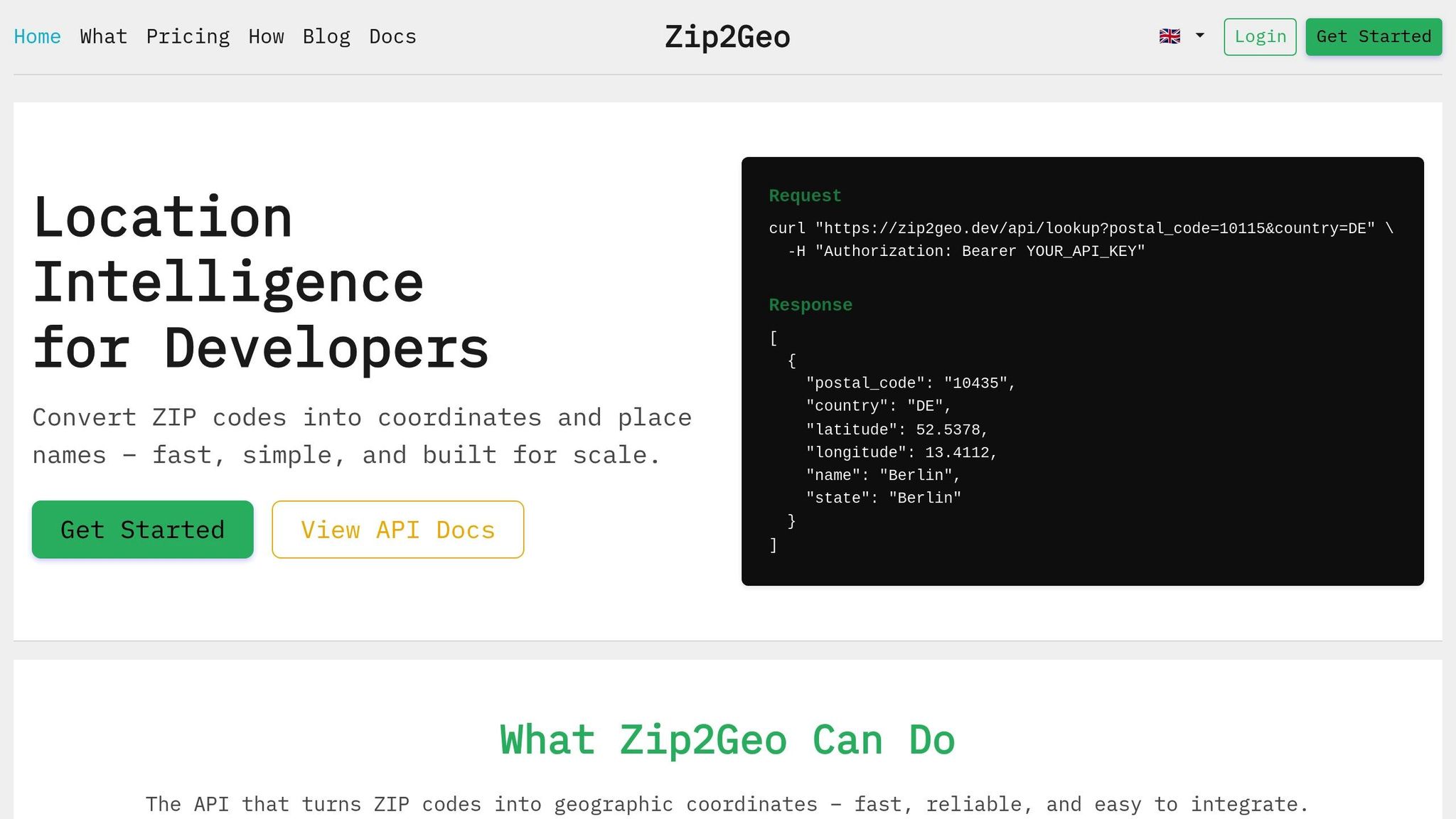
Zip2Geo's API brings quota management into focus with straightforward pricing tiers and built-in tools to help you stay in control of your usage. Whether you're running small-scale tests or handling enterprise-level traffic, Zip2Geo offers flexible options to suit your needs.
Zip2Geo's Quota Plans Explained
Zip2Geo provides four pricing plans, each tailored to different levels of application demand:
- Free Plan: Perfect for testing and personal projects, this plan includes 200 requests per month at no cost.
- Starter Plan: Designed for smaller live projects, it offers 2,000 requests monthly for 5,00 € per month or 50,00 € annually.
- Pro Plan: Ideal for growing applications, it includes 20,000 requests per month for 19,00 € per month or 190,00 € per year. This plan also comes with priority support and an SLA guarantee.
- Scale Plan: Geared toward high-traffic or enterprise users, it provides 100,000 requests per month for 49,00 € per month or 490,00 € per year, along with uptime monitoring and dedicated support.
All plans grant full access to Zip2Geo's API, delivering precise latitude, longitude, city, state, and country data with millisecond-level response times. The quotas reset on a calendar-based schedule, ensuring your monthly allocation refreshes at a predictable time. This consistency allows you to plan ahead and manage your usage effectively.
How to Use Zip2Geo Efficiently
To make the most of your quota, applying smart strategies like caching and throttling is key. Here are a few practical tips:
- Cache Data: Store Zip2Geo location data for 24–48 hours since postal code boundaries rarely change. This reduces redundant API calls.
- Trigger Calls on Interaction: Only send requests when a user actively interacts, like clicking a "Find Location" button. Avoid automatic calls on page load, which can quickly deplete your quota.
- Distribute Load: For user-facing applications, execute API requests in the browser. This spreads the load naturally across users.
When you encounter quota errors, implement an exponential backoff strategy. Start with a 100 ms delay, doubling it up to 5 seconds, and include a minimum 20 ms delay with randomized jitter. Adding jitter prevents simultaneous requests from overwhelming the API, especially during peak usage.
Additionally, monitor your usage closely by logging activity and setting alerts at 50%, 80%, and 90% thresholds. Ensure all location strings are URL-encoded to avoid errors, and safeguard your API keys to prevent unauthorized access that could drain your quota unexpectedly. These practices will help you maintain smooth and efficient API operations.
Conclusion
Summary of Key Points
Managing API quotas effectively is about finding the right balance between maintaining system stability and supporting business goals. Rate limits act as a safeguard against sudden traffic surges (measured in seconds or minutes), while quotas focus on longer-term usage patterns, ensuring cost control and adherence to business agreements over days or months.
Monitoring is the cornerstone of effective quota management. Standardised HTTP headers like X-RateLimit-Limit, X-RateLimit-Remaining, and X-RateLimit-Reset give developers real-time insight into their usage. Setting automated alerts at thresholds such as 50%, 80%, and 90% can help users adjust their activity before hitting hard limits. Additionally, dynamic rate limiting can ease server strain during peak periods, potentially reducing load by up to 40% while maintaining availability.
Optimisation techniques such as caching, batching requests, and applying limits tailored to specific endpoints can maximise the efficiency of API calls. For instance, stricter quotas for resource-heavy tasks like file uploads or complex searches, and more lenient ones for lightweight read operations, help balance resource usage effectively. When quota errors occur, using exponential backoff with randomised jitter can prevent retry storms. Moreover, designing systems to "fail open" during tracking store outages ensures continuity.
These strategies are essential for improving quota management immediately and sustainably.
Next Steps
To build on these strategies, consider taking the following steps to refine your API quota management:
- Assess your API endpoints: Categorise them based on resource intensity, distinguishing simple read operations from more demanding tasks.
- Enhance monitoring systems: Configure multi-stage alerts and ensure your API responses clearly communicate quota statuses using standard headers.
- Implement limits cautiously: Start with conservative thresholds and closely monitor the rate of 429 errors. It's easier to loosen restrictions later than to tighten them after users have integrated your API into their workflows.
-
Use atomic operations: Tools like
Redis INCRBYcan help avoid race conditions in distributed systems. - Gradually apply these best practices to improve the performance and cost efficiency of your API, such as optimising your Zip2Geo API usage.
"Rate limiting for public APIs isn't about punishing users. It's a safety valve that keeps your service available during abnormal traffic conditions, whether that 'abnormal' is malicious or just a client bug." – AppMaster
FAQs
How can I select the right quota and alert thresholds?
To determine the right quota and alert thresholds, take a close look at API usage patterns, system capacity, and user behavior. Establish limits that align with traffic trends, such as peak usage times, to avoid overloading your system while still accommodating legitimate users. Implement key-level rate limiting to ensure fair access across users and continuously monitor activity to fine-tune these thresholds.
Dynamic limits combined with proactive alerts can help you stay ahead of potential issues. This approach keeps your API stable, addresses problems early, and ensures a smooth experience for users.
What should my app do when it gets a 429 error?
When your app encounters a 429 error, it's essential to manage it properly to maintain smooth functionality. Start by implementing exponential backoff - this means gradually increasing the time between retries, which helps reduce the load on the server. Pay close attention to the Retry-After header, as it provides a specific time frame to wait before making another request. Additionally, consider queuing requests to control traffic flow and avoid overwhelming the API. These measures help you stay within rate limits and keep your app running without interruptions.
How can I prevent one team or feature from draining the whole quota?
To ensure no single team or feature consumes the entire API quota, it's crucial to implement quota management systems. These systems help monitor usage, enforce limits, and handle overages. By doing so, resources are distributed fairly, and critical workloads are given priority. Keep an eye on cumulative usage and put safeguards in place to allocate resources more effectively.